


$0.00


0
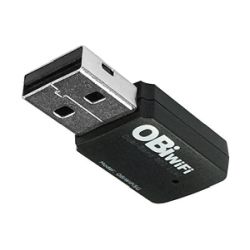
Manufacturer: Obihai
Part Number: OBIWIFI5G
UPC: 0682017335223
Thinking of making a large purchase?
Obihai Dual-Band Wireless 802.11ac Adapter
BACKORDERED
Estimated Delivery with free shipping by:
Backordered - ETA Unknown
* If ordered today with free shipping.
Features
Editor's Note
Obtain one now, to connect your Obi phone to your network. Provides secure connectivity and easy configuration.
Specification
| Device Supported | VoIP Adapter |
|---|---|
| Form Factor | External |
| Host Interface | USB |
| ISM Band | Yes |
| ISM Maximum Frequency | 2.40 GHz |
| Model | OBIWIFI5G |
| Product Type | Wi-Fi Adapter |
| UNII Band | Yes |
| UNII Maximum Frequency | 5 GHz |
| Wireless LAN Standard | IEEE 802.11ac |


